Most people running Claude Code, Codex, or Cursor right now are running them with zero skill files. That is a senior engineer you told nothing about the job. The model is capable; it just has no idea how you want things done, so it does them the average way, and the average way is what "looks vibe coded" means.
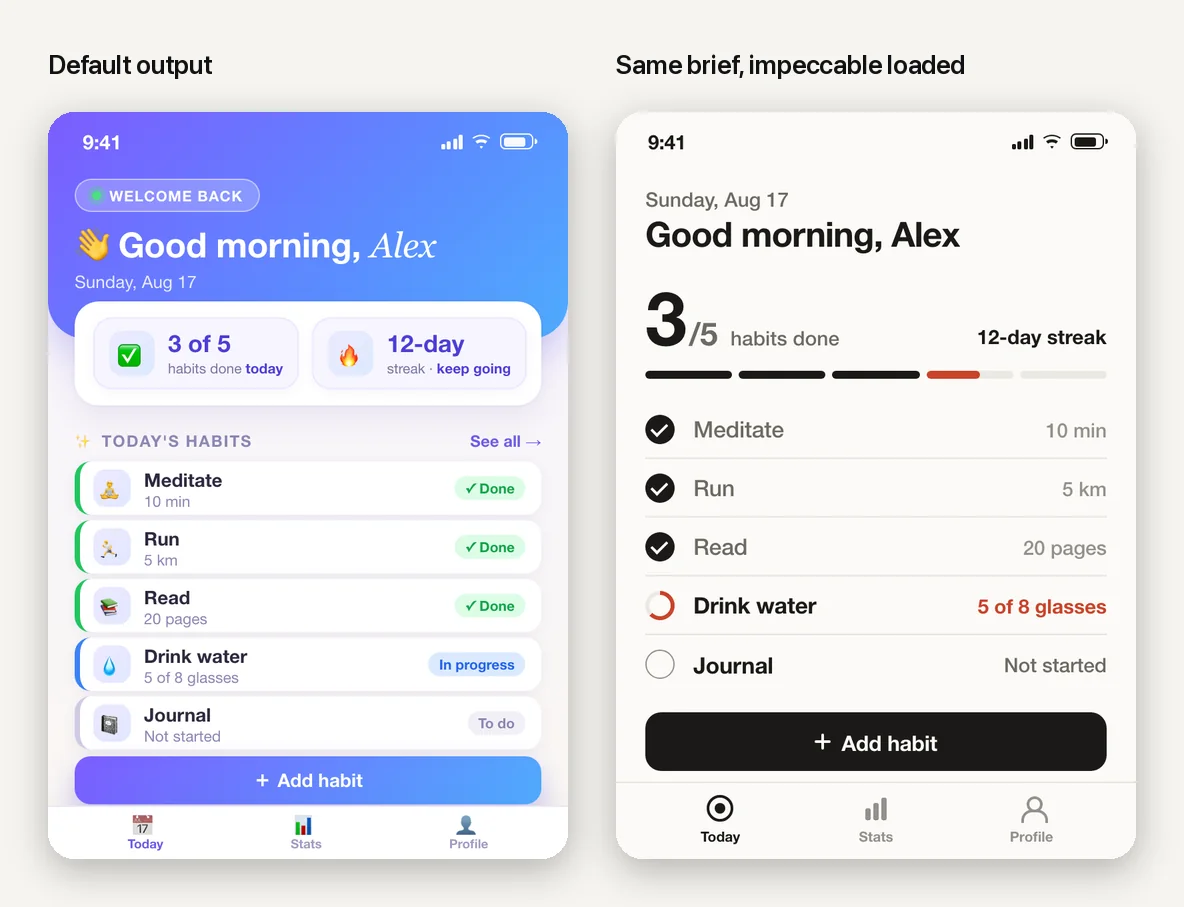
This is the written version of the guide we promised in the video. It covers everything in the video and the parts we did not have time for: where the files live, three ways to install them, how to check one is working, where to find more, and how to judge one before you trust it.
What a skill file is
A skill file is a glorified prompt. That is not an insult; it is the point. It is a long, careful set of instructions, written once by someone who is very good at a thing, that your agent reads whenever a task matches. Design principles. A marketing playbook. A checklist to run before every deploy. Someone wrote down how they do it, and now your agent does it that way too.
Technically it is a folder with a file called SKILL.md inside. That file has two parts.
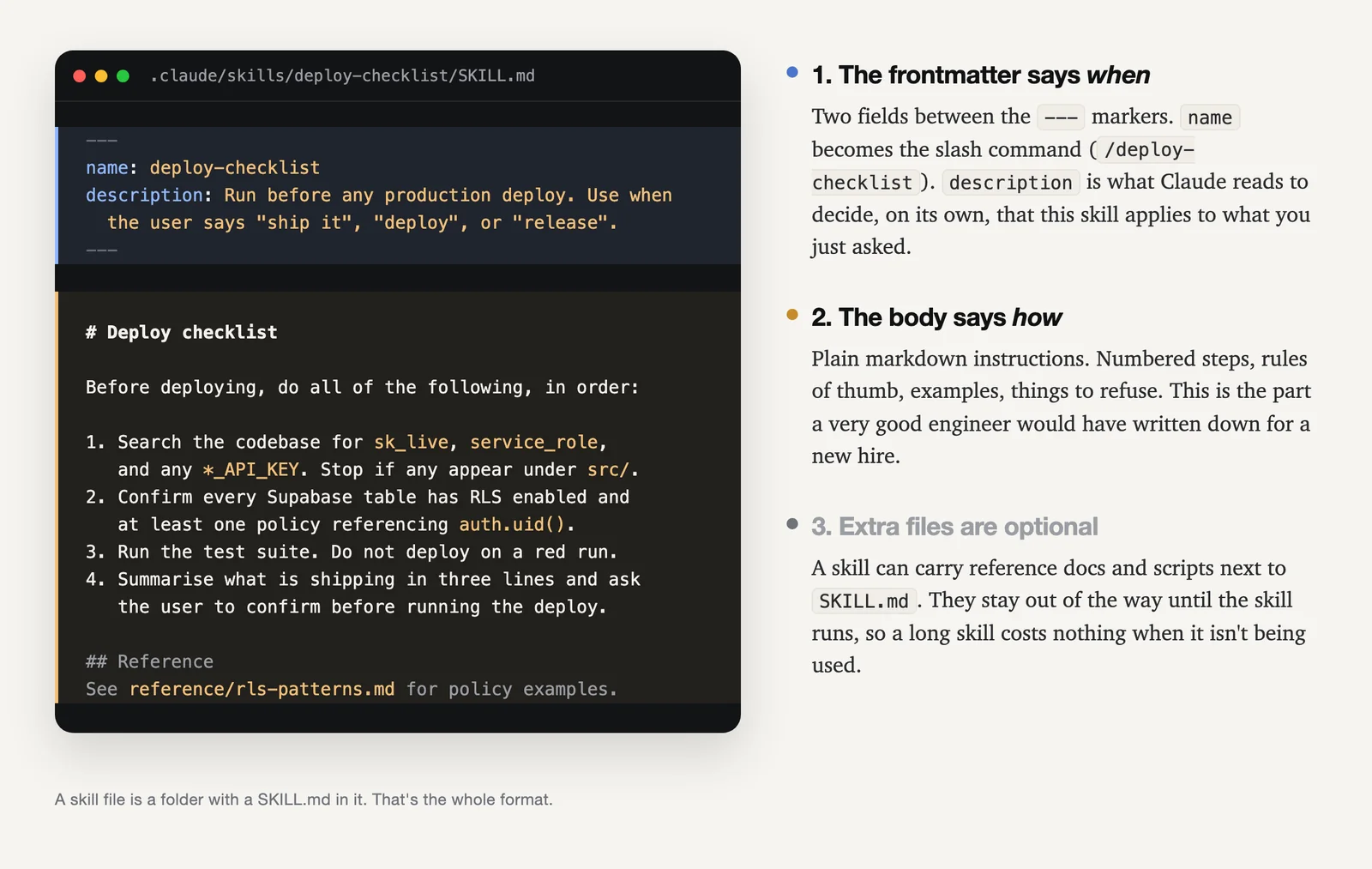
The frontmatter is the few lines between the --- markers. The name becomes a slash command you can type. The description is the sentence Claude reads to decide, on its own, that this skill applies to what you just asked. Write "use when the user asks to redesign a screen" and it will load itself when you ask to redesign a screen.
The body is plain markdown: numbered steps, rules of thumb, examples, things to refuse. It is the part a very good engineer would have written down for a new hire.
Two things make this better than pasting the same instructions into chat. First, it is automatic: Claude uses a skill when it is relevant, or you invoke it directly with /skill-name. Second, it is cheap: only the description is loaded up front, and the full instructions load when the skill is used, so a long skill costs nothing the rest of the time. Anthropic's own docs put it as: create a skill when you keep pasting the same instructions, checklist, or multi-step procedure into chat (Extend Claude with skills).
Skills are also not a Claude-only thing. They follow the Agent Skills open standard, and the popular ones ship for Cursor, Codex, Gemini CLI, and others. What you learn here transfers.
Where it lives
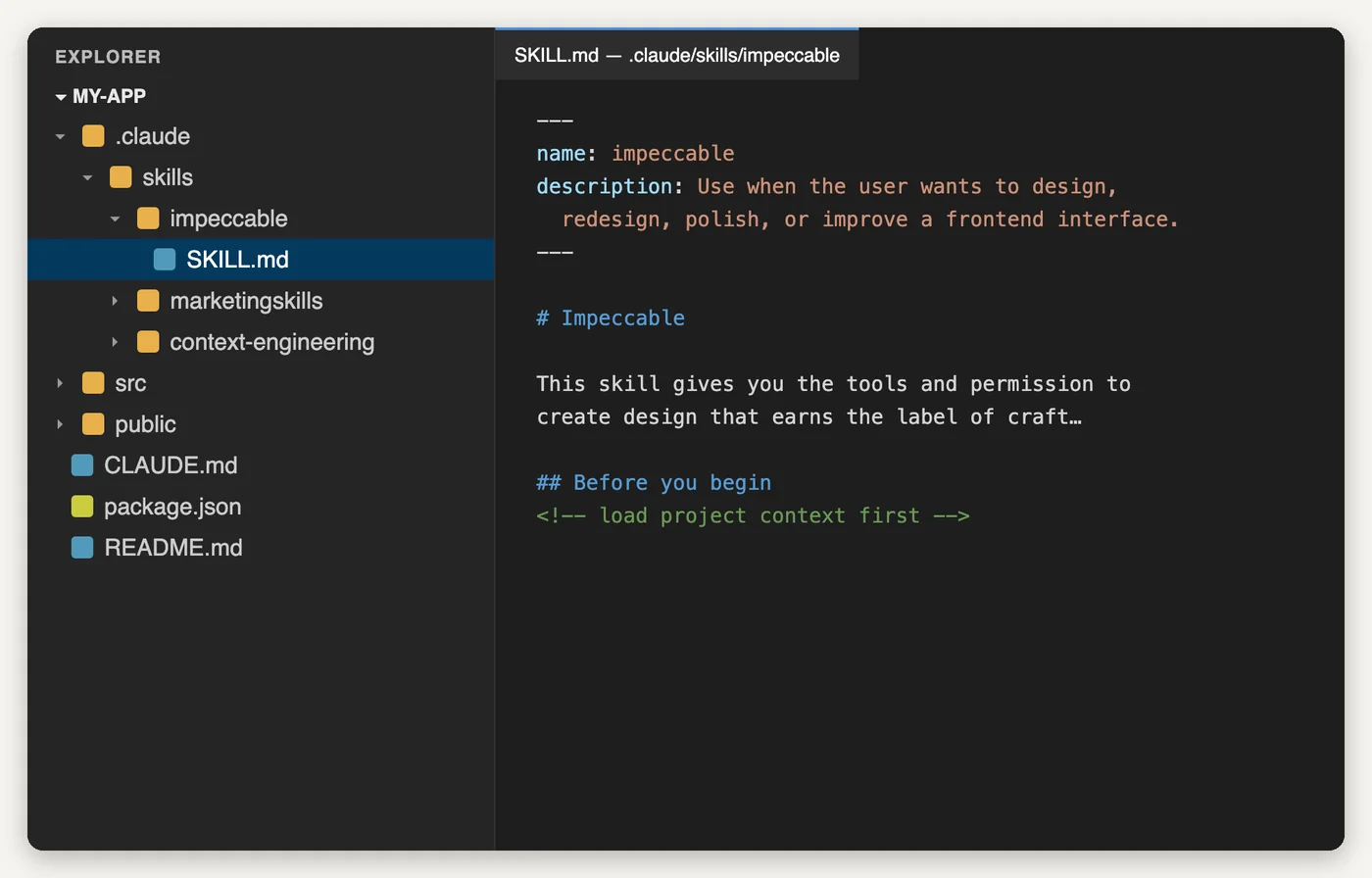
.claude/skills/<name>/SKILL.md. Each skill is one folder.Two places matter for Claude Code:
- Project:
.claude/skills/<name>/SKILL.mdinside your repo. Available in this project only. Commit it and everyone (and every agent) working on the repo gets it. - Personal:
~/.claude/skills/<name>/SKILL.mdin your home folder. Available in every project you open.
Skills can also arrive inside a plugin (more on that below). Cursor reads its own .cursor/skills/, Codex has an equivalent, and the npx skills installer knows where each tool looks, so you rarely have to think about the path.
How to install one (three ways, all under five minutes)
-
Download the folder and drop it in.
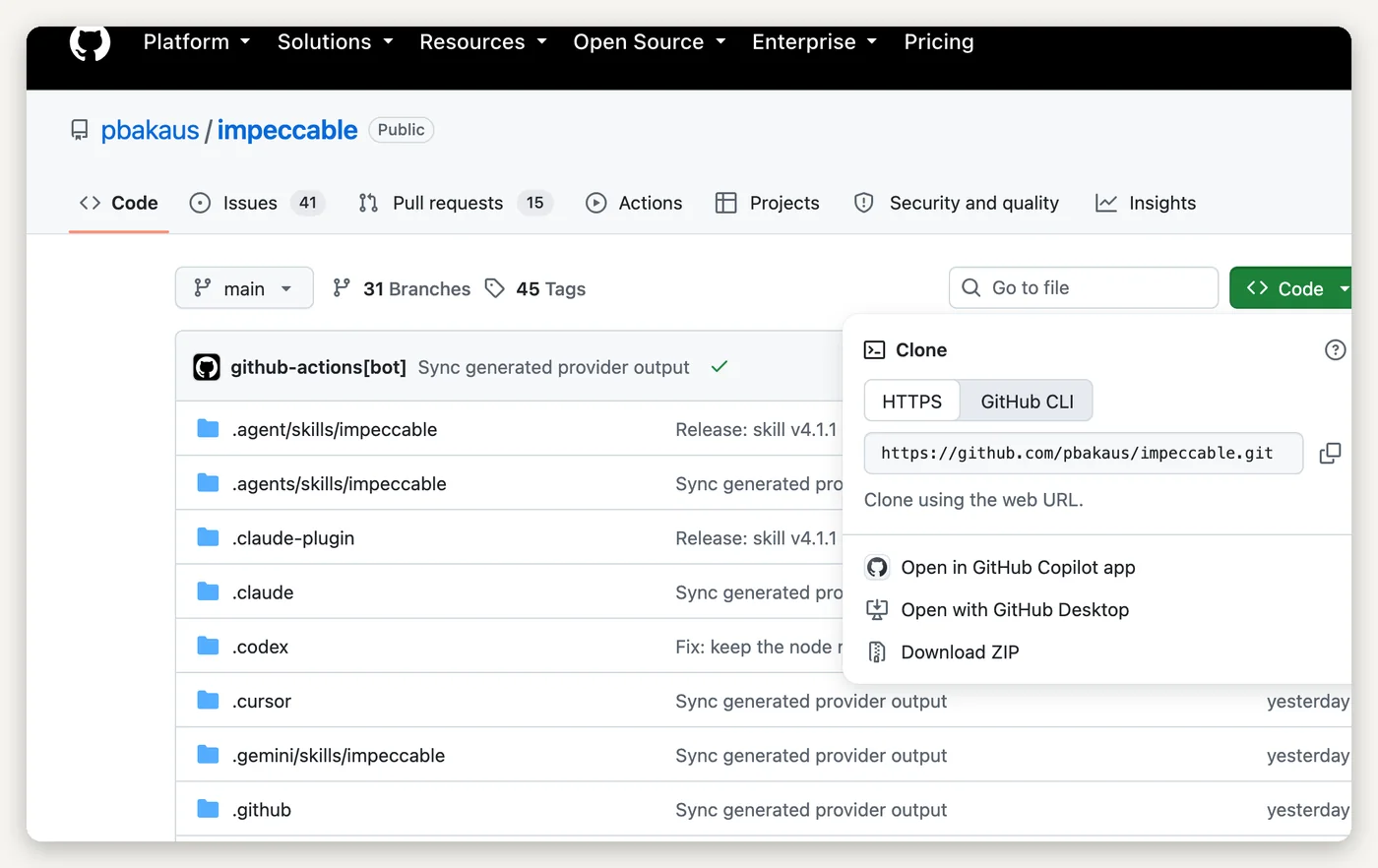
Open the skill's GitHub page, click the green Code button, choose Download ZIP, unzip it, and move the skill's folder (the one with
SKILL.mdin it) into.claude/skills/in your project. Some repos hold several skills; move whichever folders you want. This is the way we show in the video, and it needs no terminal. -
Or run one command.
Most skills can be installed with Vercel's open skills CLI, which detects which agents you have and puts the files in the right place:
npx skills add owner/repo. Add-a claude-codeif it does not ask. Some projects ship their own installer (impeccable's isnpx impeccable install). -
Or install it as a plugin.
Inside Claude Code, type
/plugin. Anthropic runs an official marketplace you can browse from there, and many skill authors publish their own (/plugin marketplace add owner/repo, then install from the list). Plugins bundle skills together and update cleanly.
.claude/skills/.How to check it worked
Type / in Claude Code. Installed skills show up in the list by name, alongside the built-in commands. You can also just ask: "which skills do you have loaded?" Or invoke one directly, /impeccable for example, and watch it pick up the instructions. If nothing appears, the folder is in the wrong place, or the file inside it is not called exactly SKILL.md.
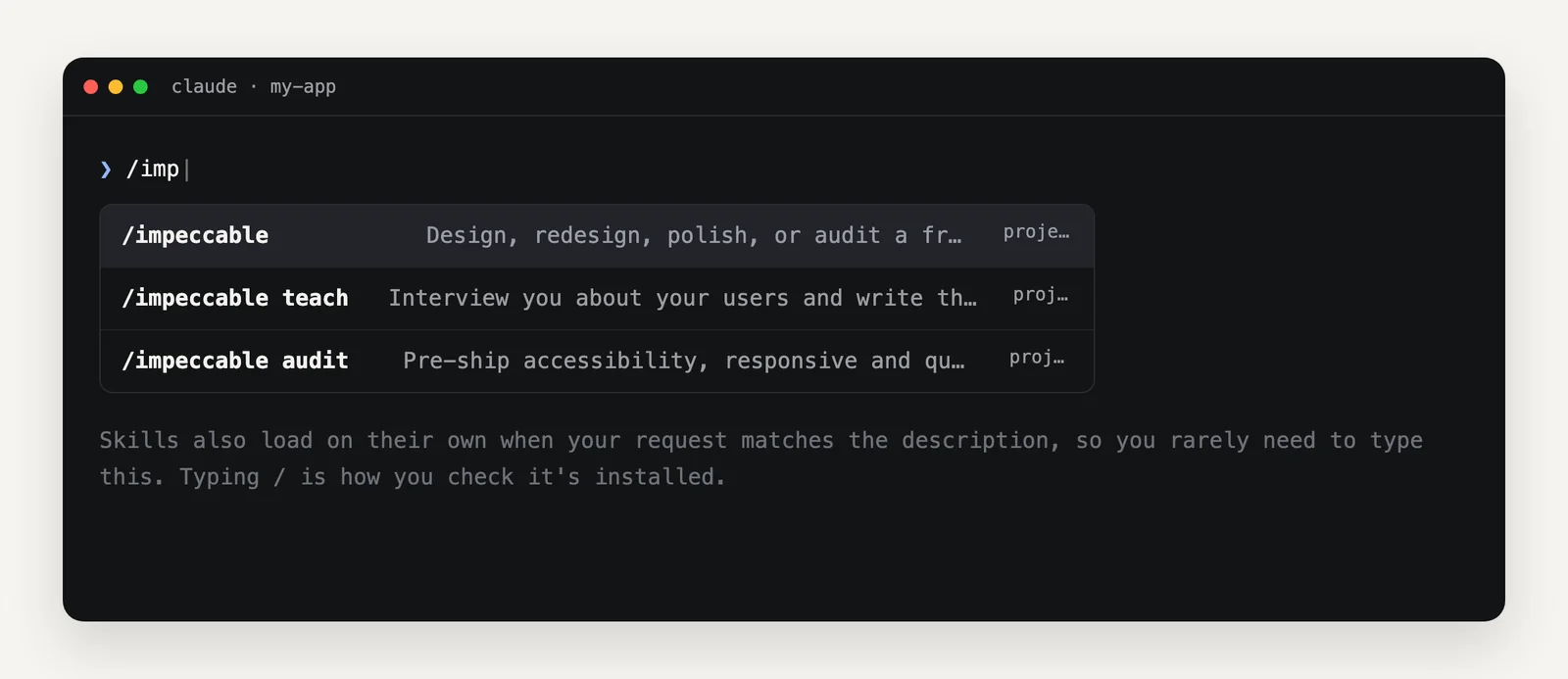
/ is the quickest install check. Most of the time you will not need to type it at all; the skill loads on its own when your request matches its description.The three we put in every project
These are the three from the video. Star counts are from GitHub in August 2026, rounded, so you can see they are not obscure.
1. impeccable, for design
The reason your AI-built app looks like every other AI-built app is that the model has no taste by default. Every model trained on the same SaaS templates, so with no guidance you get the same tells on every project: one font for everything, purple-to-blue gradients, cards nested in cards, the rounded icon tile above every heading. Impeccable is the taste. It gives your agent a real design vocabulary (type scale, spacing, restraint, when not to add a gradient), a set of commands like /impeccable polish and /impeccable audit, and a detector for the AI-default patterns so it can strip them out.
The part we like most: /impeccable teach interviews you about your users first and writes that down as a brief, so the design fits your app rather than a generic one. Run it once per project.
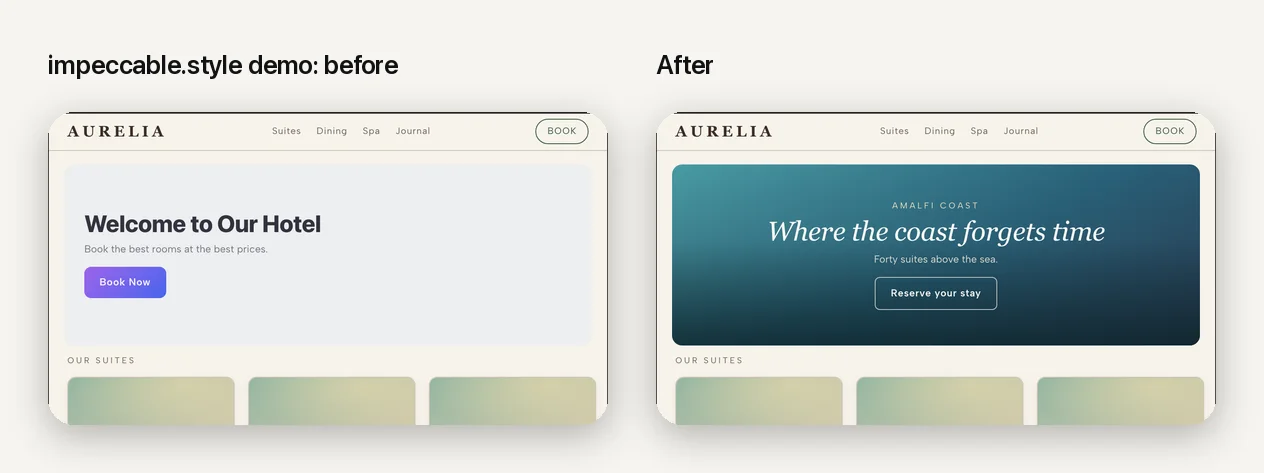
Install: npx impeccable install from your project root, then /impeccable init inside your coding tool. Or download the repo and drop .claude/skills/impeccable/ into your project. Works with Claude Code, Cursor, Codex, Gemini CLI, and more.
2. marketingskills, for getting the app off the ground
Building the app is half the job. Corey Haines packaged his marketing playbooks as skills, forty-nine of them at last count: copywriting, CRO, SEO, pricing, onboarding, cold email, launch, paywalls, referrals, programmatic SEO, and so on. Your landing page stops sounding like a model wrote it, because a marketer's rules are now in the room when the agent writes it. Ask for a pricing page and it will ask about your offer before it writes a word.
You do not need all forty-nine. Install the handful that match what you are doing this month.
Install: npx skills add coreyhaines31/marketingskills (add --skill cro copywriting to pick specific ones, or --list to see them). Also available as a Claude Code plugin.
3. Agent Skills for Context Engineering, so it stops going in circles
The unglamorous one. "Context" is what the agent is holding in its head right now, and it is limited. When a build goes in circles, when it forgets what it did an hour ago and breaks it, when you slam into a rate limit at the worst moment, that is usually a context problem. This collection teaches the agent how to manage it: what to keep, what to compact, when to hand off to a fresh session, how to structure long tasks so they survive. The practical effect for you is fewer tokens burned and fewer "wait, we already fixed that" moments.
Install: in Claude Code, /plugin marketplace add muratcankoylan/Agent-Skills-for-Context-Engineering, then /plugin install context-engineering@context-engineering-marketplace. Or copy the skill folders you want out of the repo's skills/ directory into .claude/skills/.
Where to find more
The honest answer is that there are now thousands, most of them mediocre, and the finding is easy but the choosing is not. Start with these five sources, in order.
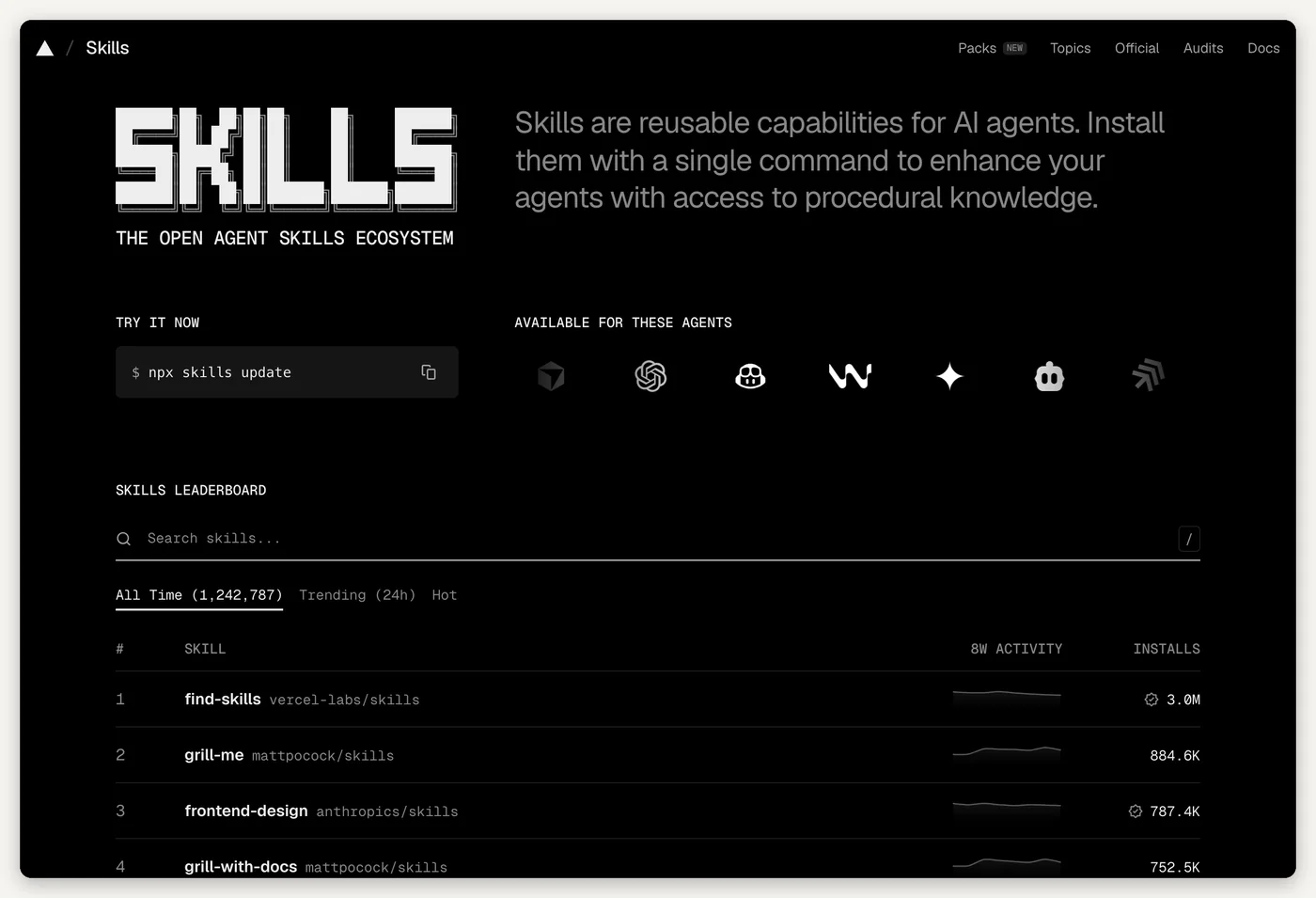
- skills.sh, the directory with an install leaderboard. Sorted by how many people actually installed each skill, with a trending view. Every entry installs with one
npx skills addcommand. If you only bookmark one place, bookmark this. - anthropics/skills, the official ones. Anthropic's own repository.
frontend-design(the skill impeccable grew out of),webapp-testing,skill-creatorfor writing your own, and the document skills for reading and producing Word, PDF, PowerPoint, and Excel files. - The plugin marketplace inside Claude Code. Type
/plugin. Anthropic's official marketplace is a curated list, and it is the easiest way to install bigger bundles like superpowers. - The curated lists. awesome-agent-skills (a thousand-plus skills from official dev teams and the community, grouped by category) and awesome-claude-code (skills, plus hooks, commands, and workflows). Good for browsing by problem rather than by name.
- GitHub search. Search for
path:SKILL.mdplus a topic word (path:SKILL.md supabase) and sort by recently updated. This finds the official skills companies publish for their own products, which are often the best ones for that product and never trend anywhere.
How to judge one before you install it
Five checks, in the order that catches the most.
- Read the SKILL.md first. It is English. If you cannot tell in a minute what it will make your agent do, do not install it.
- Look at the description line. A specific one ("use when the user asks to write a pricing page") triggers at the right moments. A vague one ("helps with marketing") triggers constantly or never.
- Check who wrote it and when it was last touched. Official product teams and well-known builders, updated in the last few months. A skill written for a tool version from a year ago will quietly give wrong instructions.
- Look for scripts. A skill can carry scripts and can tell your agent to run commands. That is fine when you can follow what the scripts do and dangerous when you cannot. Treat a skill like any dependency: if the scripts are opaque, skip it. Scanners built for exactly this exist (NVIDIA's SkillSpector is one).
- Prefer fewer. Two skills you actually trigger beat twenty you installed on a Sunday. Descriptions from thirty skills all sitting in the list start to overlap, and the agent picks the wrong one.
Our top ten
These are the ten we would hand to someone who vibe coded an app and wants it to hold up. Not the ten most starred; the ten most useful at that exact stage. Star counts are August 2026, rounded. Install commands are the shortest reliable route; the download-and-drop method works for all of them.
-
impeccable
Design · about 60k stars · everyone with a screen
The design vocabulary and slop detector described above. If you install one thing, this is it.
npx impeccable install -
marketingskills
Marketing · about 45k stars · everyone who has to get users
Corey Haines's playbooks for copy, CRO, SEO, pricing, launch, and email, as skills.
npx skills add coreyhaines31/marketingskills -
Agent Skills for Context Engineering
Context · about 18k stars · anyone whose builds go in circles
Teaches the agent to manage what it holds in its head, so long tasks stop collapsing and tokens stop leaking.
/plugin marketplace add muratcankoylan/Agent-Skills-for-Context-Engineering -
superpowers
Method · about 270k stars · anyone who says "just build it" and regrets it
A whole way of working, as skills: it makes the agent brainstorm a spec with you first, write a plan, then build in small tested steps with review. It slows the first ten minutes down and saves the next ten hours.
/plugin install superpowers@claude-plugins-official -
anthropics/skills
Official · about 170k stars · everyone
Anthropic's own set.
frontend-design,webapp-testing(drives a real browser to check your app),skill-creator(writes and evaluates new skills), and the document skills.npx skills add anthropics/skills -
mattpocock/skills
Engineering habits · about 220k stars · anyone shipping to real users
Matt Pocock's working set.
grill-meinterrogates your plan until it is actually a plan,tddmakes the agent write the test first,triageandhandoffkeep long work honest. Several of these sit at the top of the skills.sh install chart.npx skills add mattpocock/skills -
vercel-labs/agent-skills
React and Next.js · about 30k stars · anyone whose app is React (most Lovable, Bolt, and v0 apps are)
Vercel's official skills:
react-best-practices,web-design-guidelines,deploy-to-vercel, and a React Native set. Fixes the mistakes AI-generated React makes by default.npx skills add vercel-labs/agent-skills -
supabase/agent-skills
Database · about 2.5k stars · anyone on Supabase (again, most of you)
Supabase's own skills for working with Supabase and Postgres properly: schema, policies, migrations, the things that decide whether your database is actually private. Small star count because it is new and specific, not because it is bad.
npx skills add supabase/agent-skills -
stripe/ai skills
Payments · official · anyone taking money
Stripe's own skills for agents, including
stripe-best-practicesandupgrade-stripe. Payments are the place vibe-coded apps most often "work in the demo" and fail with a real card; having Stripe's rules in the room helps.npx skills add stripe/ai -
ui-ux-pro-max
Design, second opinion · about 118k stars · anyone who wants a different design voice than impeccable
A very popular design-intelligence skill with a broader, more opinionated library of patterns. We reach for impeccable first, but plenty of good builders prefer this one, and it is worth knowing which voice you like.
npx skills add nextlevelbuilder/ui-ux-pro-max-skill
Honourable mentions, if your situation is specific: expo/skills if you are building the mobile app in Expo, cloudflare/skills if you host on Cloudflare, trailofbits/skills if you have someone technical who wants a real security audit workflow, and planning-with-files for long tasks that need to survive a crash.
Getting the most out of them
Install fewer than you want to. Three well-chosen skills, all of which trigger, beat twenty that overlap.
Project beats personal for anything about the app. Put design, marketing, and database skills in .claude/skills/ in the repo and commit them, so the next session (and the next person) has them. Keep personal ones for your own habits.
Update them. The good ones ship often. npx skills update or npx impeccable update once a month.
Write your own for the thing you keep pasting. The moment you notice you have typed the same instruction three times, that is a skill. A folder, a SKILL.md, a clear description line, and the instruction. Anthropic's skill-creator will draft it for you.
The gap between "vibe coded" and "built" is closing fast, and most of it is not the model. It is what you hand the model before it starts.
Questions people ask
Do skill files work with Cursor and Codex, or only Claude Code?
They work across tools. Claude Code skills follow the Agent Skills open standard, and the popular ones (impeccable, superpowers, marketingskills) ship install paths for Cursor, Codex, Gemini CLI, and others. The npx skills installer detects which tools you have and puts the files where each one looks.
Do installed skills cost tokens or slow Claude down?
Barely. Only each skill's short description is loaded up front so Claude knows it exists; the full instructions load only when the skill is actually used. A dozen installed skills you rarely trigger costs almost nothing.
Is it safe to install a skill from GitHub?
A skill is markdown, but it can bundle scripts and it can tell your agent to run commands, so treat it like any dependency. Read the SKILL.md before you install it, prefer official or well-known authors with recent activity, and skip anything whose scripts you cannot follow. Scanners for agent skills exist if you want a second opinion.
What is the difference between a skill, CLAUDE.md, and MCP?
CLAUDE.md is always loaded and holds facts about your project. A skill is a procedure that loads only when a task matches, so it can be long without costing anything the rest of the time. MCP connects your agent to outside tools and data (Stripe, Supabase, a browser). You will end up using all three.
Do I need to be technical to use skills?
No. Download the folder from GitHub, drop it into .claude/skills/ inside your project, and it is installed. Or run one npx command. Reading a SKILL.md is reading English.